The Complete History of Windows Operating System: From Windows 1.0 to Windows 11
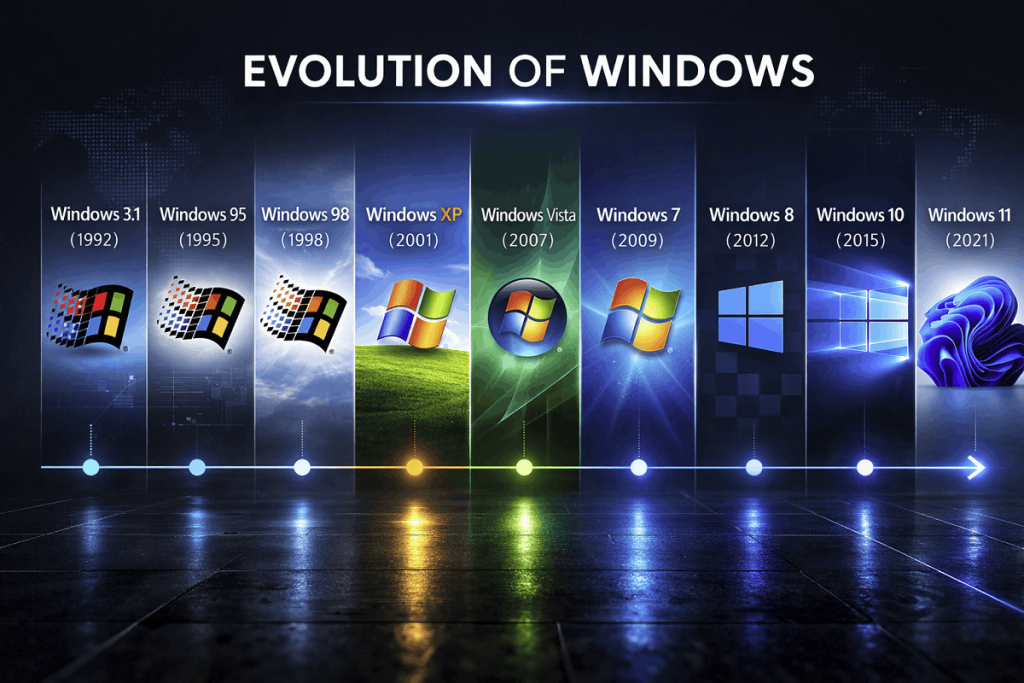
Microsoft Windows has been at the forefront of personal computing for nearly four decades. Since its debut in 1985, it has evolved from a simple graphical interface running on MS-DOS into a fully-featured, modern operating system powering billions of devices worldwide. Windows has influenced everything from home computing to business operations, gaming, and cloud productivity.
First announced on November 10, 1983, by Bill Gates, Windows introduced a graphical user interface (GUI) that allowed users to interact with computers through icons, windows, and menus rather than typing text commands. This innovation made computers accessible to a wider audience and paved the way for future releases.
Over the years, Microsoft released multiple major versions, each introducing new design, functionality, and performance improvements. From Windows 1.0 to Windows 11, each version reflects the technology and user needs of its time.
Windows 1.0 (1985)
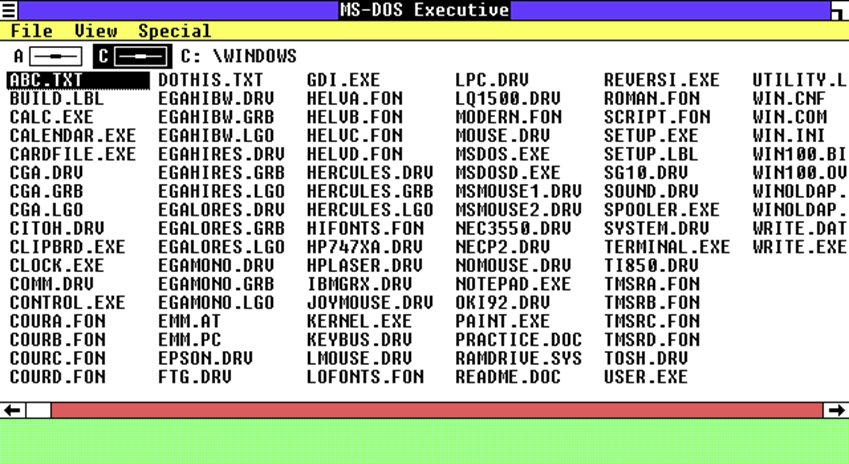
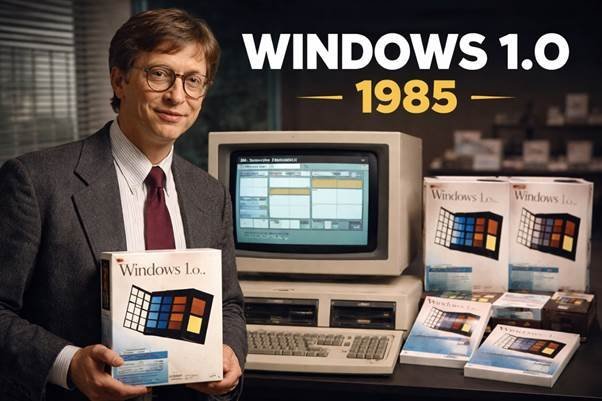
Windows 1.0 was Microsoft’s first graphical operating environment built on top of MS-DOS. Users could navigate windows, menus, and icons with a mouse, a revolutionary step at the time. It included programs like Paint, Notepad, Calculator, and Calendar, providing basic functionality that made computing more approachable. Windows 1.0 used tiled windows instead of overlapping ones, which limited multitasking but helped introduce the GUI concept. The operating system also supported basic keyboard shortcuts and file management tools. Although adoption was limited and commercial success was modest, Windows 1.0 laid the groundwork for Microsoft’s future GUI innovations. It demonstrated the potential for visual computing, inspiring software developers to start creating applications for Windows.
Minimum System Requirements
- MS-DOS 2.0
- 256 KB RAM
- Two floppy disk drives or a hard disk
- Graphics adapter
Windows 2.0 (1987)
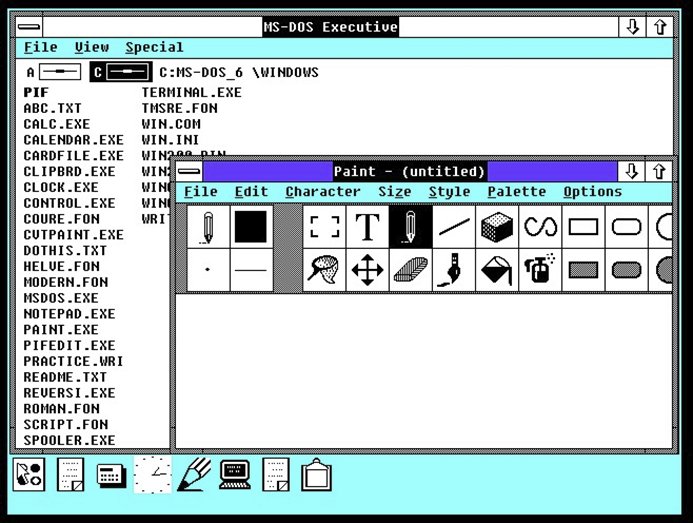
Windows 2.0 improved upon the original by allowing overlapping windows, which made multitasking more flexible and practical. It was the first Windows version to fully support Microsoft Word and Excel, attracting business users. The interface became slightly more polished, with better keyboard shortcuts and faster performance. It also introduced improved graphics support, enabling applications to use higher-resolution displays. While Windows 2.0 was still primarily used by tech enthusiasts, it began gaining attention from software developers. Several productivity tools, like early versions of Paintbrush and Calculator, were enhanced for usability. Its improvements laid the foundation for Windows 3.x, which would achieve commercial success.
Minimum System Requirements
- MS-DOS
- 512 KB RAM
- Hard disk recommended
- Graphics adapter
Windows 3.0 & 3.1 (1990–1992)
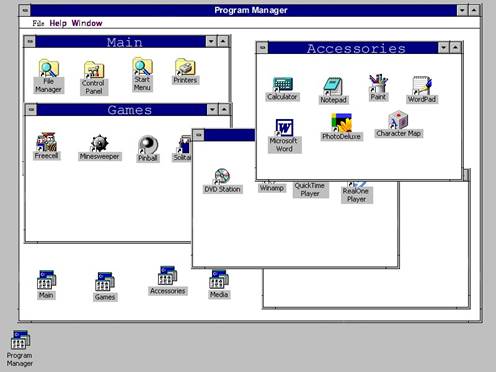
Windows 3.0 was Microsoft’s first major commercial success. It introduced Program Manager and File Manager, making it easier for users to launch and manage applications. Memory management improved, allowing more stable multitasking. Windows 3.0 supported 16-color graphics, which was a huge step forward visually. Windows 3.1, released in 1992, added TrueType fonts, multimedia support, and better system stability. It also improved IBM PC compatibility and offered more user-friendly error messages. These versions made personal computers viable for both business and home users. The growing popularity of Windows 3.x attracted more software developers, solidifying Microsoft’s ecosystem.
Minimum System Requirements (Windows 3.1)
- MS-DOS
- 1 MB RAM (2 MB recommended)
- 15 MB storage
- VGA graphics
Windows 95 (1995)
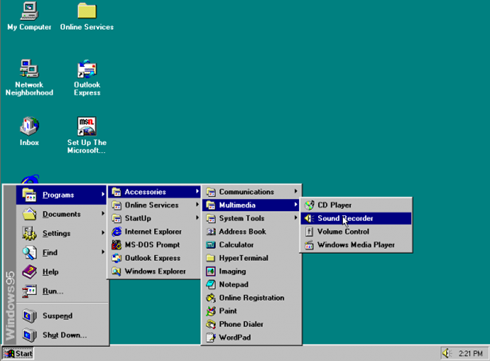
Windows 95 was a game-changer for personal computing. It introduced the Start menu, Taskbar, Recycle Bin, and support for long file names, which are still familiar today. It merged DOS and Windows into a single integrated operating system, improving system stability. Plug and Play hardware made installing devices easier, while Internet Explorer provided easy access to the web. Its sleek interface and marketing campaign created a worldwide phenomenon. Windows 95 also included multimedia support, better networking features, and enhanced desktop management. The release marked a turning point for Microsoft, solidifying its dominance in the operating system market.
Minimum System Requirements h3
- 386DX processor
- 4 MB RAM
- 50–55 MB storage
Windows 98 (1998)
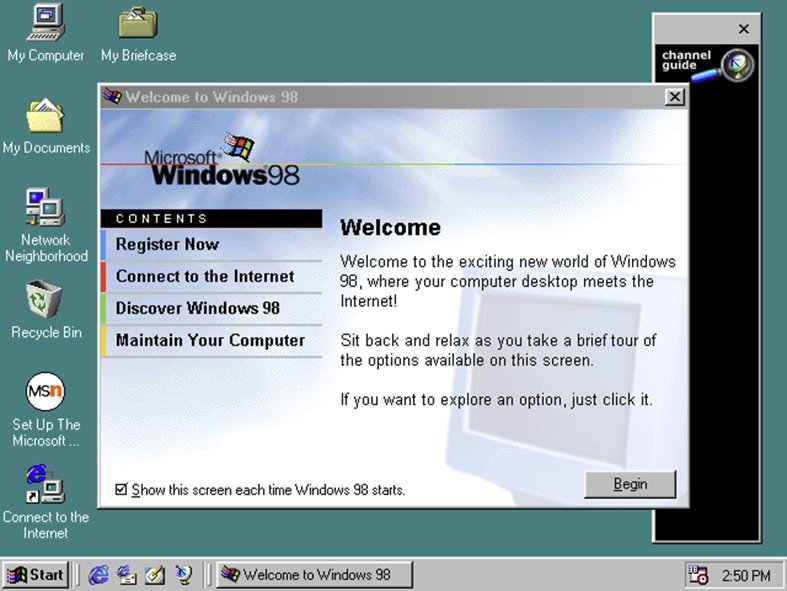
Windows 98 built on the success of Windows 95 with better hardware support, particularly for USB devices. It improved stability, performance, and internet integration, reflecting the growing importance of online connectivity. The system offered enhanced multimedia features and improved driver support for peripherals like printers and scanners. It also introduced the Windows Update feature, allowing users to easily download patches and fixes. While the interface remained similar to Windows 95, under the hood it was more reliable and efficient. Many home users and offices adopted Windows 98 as their main operating system. Its popularity made it a staple of late 1990s computing.
Minimum System Requirements
- 486DX processor
- 16 MB RAM
- 500 MB storage
Windows 2000 (2000)
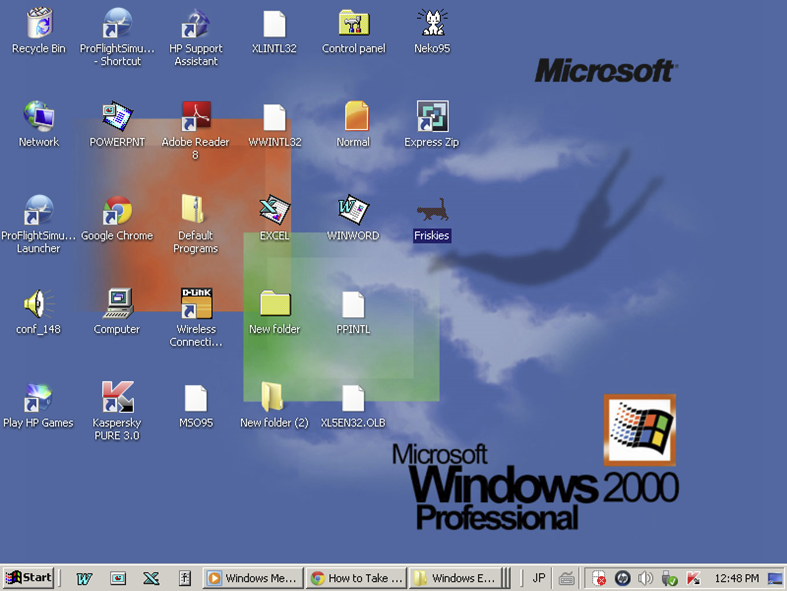
Windows 2000 was designed primarily for professional and business environments. Built on the NT kernel, it provided enhanced stability, security, and networking features. Unlike consumer-oriented versions, it focused on reliability, making it ideal for offices and servers. Windows 2000 supported Active Directory and advanced user management, facilitating enterprise deployment. It also offered better hardware support, including USB devices and multiple processors. While it was less popular among home users, it laid the groundwork for future consumer releases like Windows XP. Its security features, stability, and networking capabilities were praised by IT professionals worldwide.
Minimum System Requirements
- 133 MHz processor
- 64 MB RAM
- 2 GB storage
Windows XP (2001)
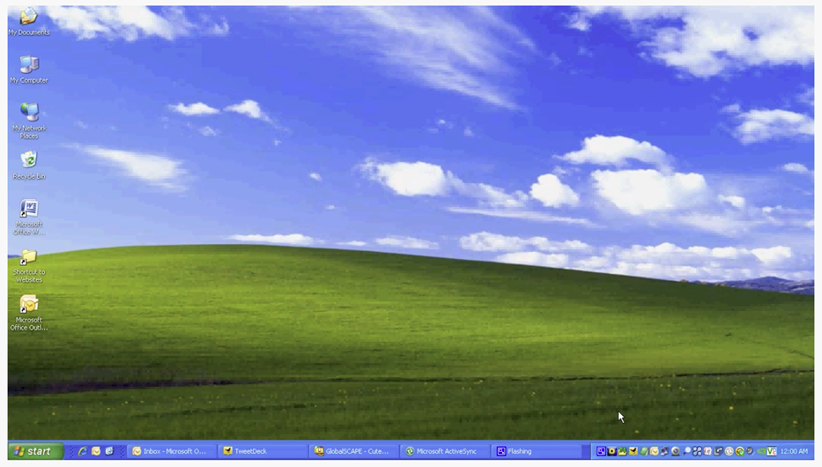
Windows XP combined the stability of Windows 2000 with a vibrant, user-friendly interface. It featured the famous “Bliss" wallpaper, improved performance, and faster startup times. XP also offered better driver support and multimedia features for audio, video, and graphics. Networking capabilities were enhanced for home and business use, making it easier to connect to the internet and local networks. Security was improved with a new firewall, though vulnerabilities remained. XP quickly became one of the most popular operating systems in history, remaining in use for over a decade. Its long support life and ease of use cemented its place in computing history.
Minimum System Requirements
- 233 MHz processor
- 64 MB RAM
- 1.5 GB storage
Windows Vista (2007)
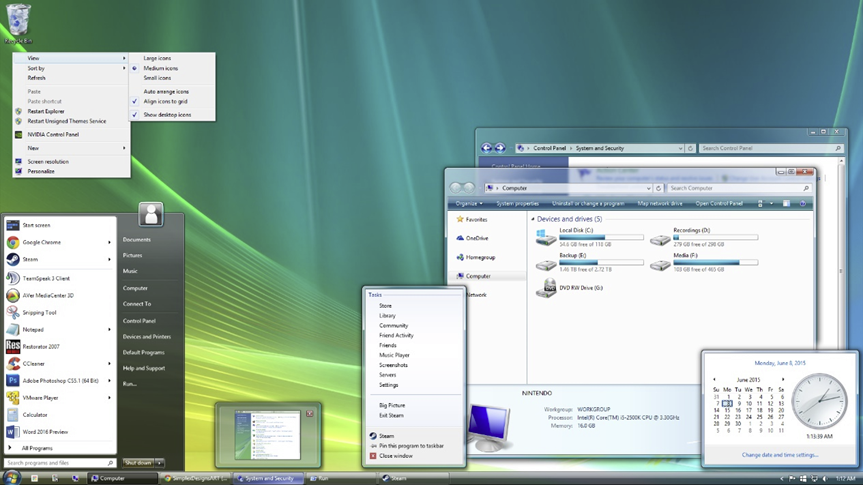
Windows Vista introduced the Aero interface, with transparency effects, animations, and modern icons. Security improvements like User Account Control (UAC) aimed to protect users from malware. Vista also offered enhanced search features, multimedia improvements, and new applications like Windows Media Center. However, high system requirements and driver incompatibility slowed adoption. Many users found it slower compared to Windows XP, especially on older hardware. Despite this, Vista introduced concepts that would be refined in later versions, including better graphics handling and integrated networking. Over time, service packs and updates improved performance and stability.
Minimum System Requirements
- 1 GHz processor
- 1 GB RAM
- 15–20 GB storage
- DirectX 9 graphics
Windows 7 (2009) h2
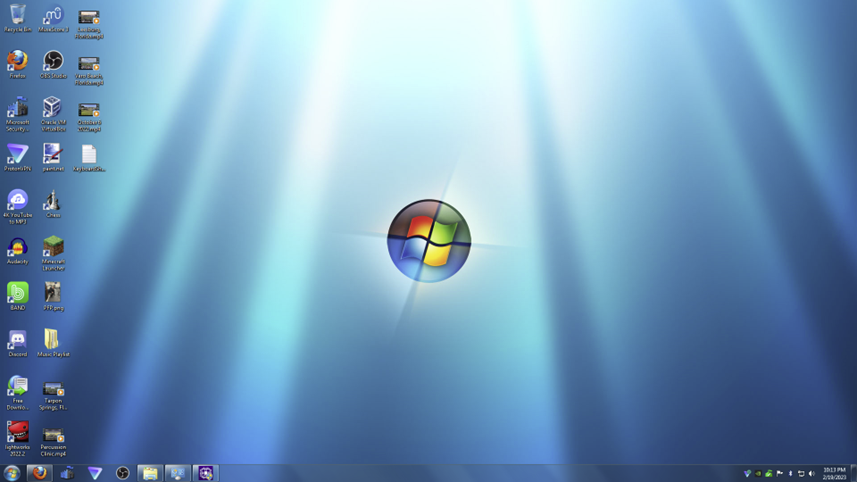
Windows 7 corrected many of Vista’s shortcomings. It offered faster performance, refined design, and greater stability. The Start menu was improved, and new features like Aero Snap made multitasking easier. Windows 7 was compatible with a wide range of hardware and software, contributing to its popularity in both home and business environments. It introduced better networking tools, enhanced media playback, and improved security features. Its ease of use and reliability made it one of the most trusted operating systems. Many organizations continued using Windows 7 even after Windows 10 was released.
Minimum System Requirements
- 1 GHz processor
- 1 GB RAM (32-bit) / 2 GB RAM (64-bit)
- 16–20 GB storage
Windows 8 & Windows 8.1 (2012–2013)
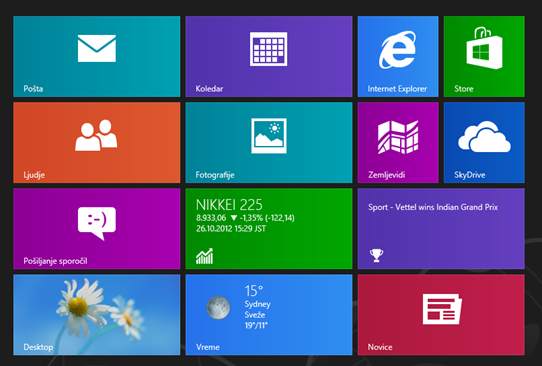
Windows 8 marked a bold shift toward touch-friendly computing, designed for both tablets and desktops. It introduced live tiles on the Start screen, providing real-time updates from apps like Mail, Calendar, and Weather. Microsoft removed the traditional Start menu, which confused many desktop users and led to mixed reviews. Windows 8 offered faster boot times, improved security, and better support for solid-state drives. The operating system also introduced Windows Store apps, enabling users to download software more easily. Windows 8.1 addressed many complaints by restoring the Start button, improving search functionality, and refining the interface for both touch and keyboard users. Despite criticism, it laid the groundwork for modern Windows UI concepts.
Minimum System Requirements (Windows 8.1)
- 1 GHz processor
- 1 GB RAM (32-bit) / 2 GB RAM (64-bit)
- 16–20 GB storage
- DirectX 9 graphics
Windows 10 (2015)
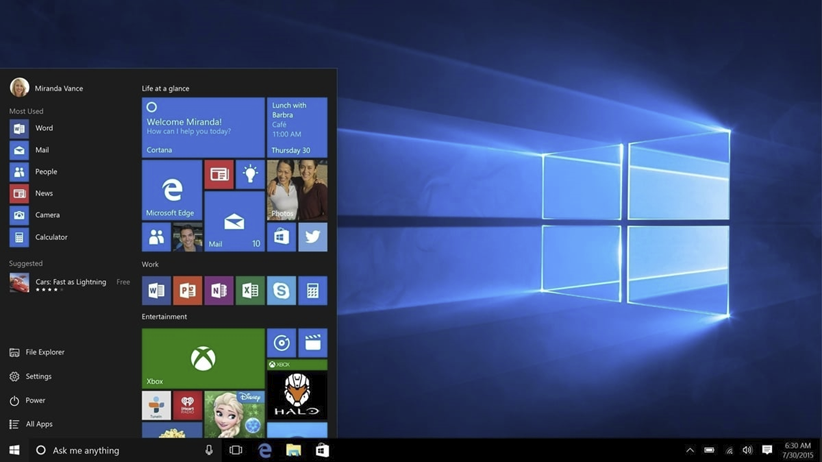
Windows 10 combined the familiar desktop experience of Windows 7 with the touch-focused features of Windows 8. It reintroduced the Start menu with live tiles and included virtual desktops, allowing multiple workspaces for better multitasking. Microsoft Edge replaced Internet Explorer as the default browser, while Cortana offered voice-assisted search and productivity. Windows 10 adopted a continuous update model, with new features delivered regularly through Windows Update. Security was enhanced with Windows Hello, device encryption, and improved firewall features. The operating system supported DirectX 12 for better gaming performance and introduced the Windows Store for app downloads. Its adaptability made it suitable for PCs, tablets, and even some smartphones.
Minimum System Requirements
- 1 GHz processor
- 1–2 GB RAM
- 16–20 GB storage
- DirectX 9 graphics
Windows 11 (2021) h2
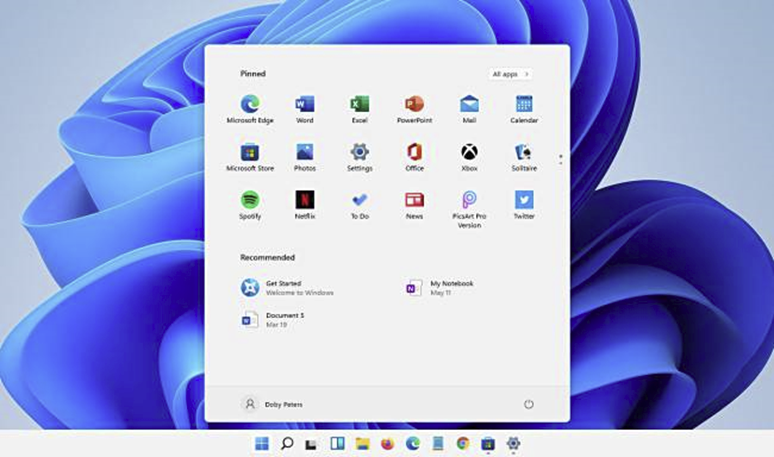
Windows 11 represents Microsoft’s vision of a modern, sleek, and productivity-focused operating system. It features a redesigned interface with centered taskbar icons, rounded corners, and updated Start menu. Snap layouts, virtual desktops, and improved window management enhance multitasking for work and gaming. Windows 11 emphasizes security, requiring TPM 2.0 and modern hardware. It supports Android apps, integrates Microsoft Teams, and delivers better gaming performance with Auto HDR and DirectStorage. The system also focuses on hybrid work, offering improved touch, pen, and voice input. Despite higher hardware requirements, Windows 11 provides a more polished and consistent experience than previous versions.
Minimum System Requirements
- 1 GHz 64-bit processor (2+ cores)
- 4 GB RAM
- 64 GB storage
- TPM 2.0
- DirectX 12 compatible graphics
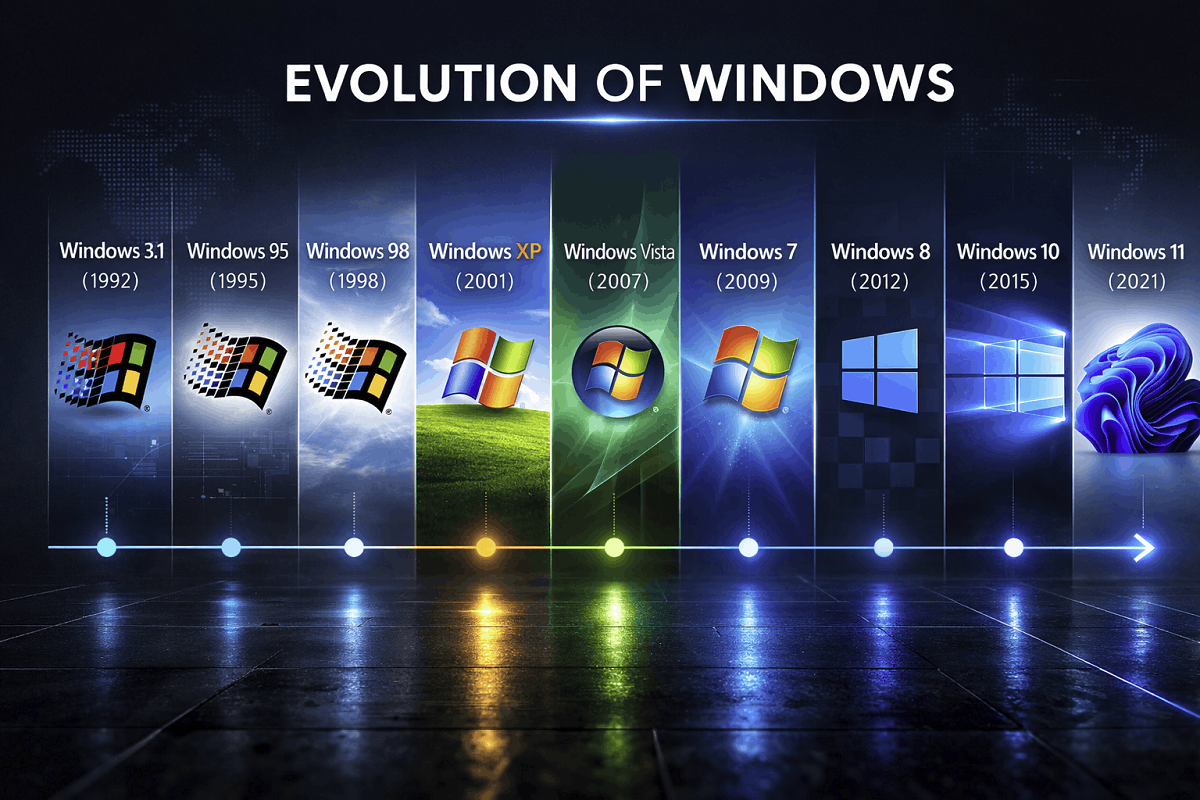
Comparison Table of Major Windows Versions
Image search in Google: Windows versions timeline infographic
| Version | Release Year | Key Features | Minimum RAM | Storage |
| Windows 1.0 | 1985 | GUI, Paint, Notepad | 256 KB | 5 MB |
| Windows 2.0 | 1987 | Overlapping windows, Word & Excel | 512 KB | 5–10 MB |
| Windows 3.1 | 1992 | Multimedia, TrueType fonts | 1 MB | 15 MB |
| Windows 95 | 1995 | Start menu, Taskbar, Internet Explorer | 4 MB | 55 MB |
| Windows 98 | 1998 | USB support, better stability | 16 MB | 500 MB |
| Windows 2000 | 2000 | NT architecture, networking | 64 MB | 2 GB |
| Windows XP | 2001 | Colorful interface, stability | 64 MB | 1.5 GB |
| Windows Vista | 2007 | Aero interface, UAC | 1 GB | 15–20 GB |
| Windows 7 | 2009 | Performance & stability | 1–2 GB | 16–20 GB |
| Windows 8/8.1 | 2012 | Live tiles, touch UI | 1–2 GB | 16–20 GB |
| Windows 10 | 2015 | Start menu, virtual desktops | 1–2 GB | 16–20 GB |
| Windows 11 | 2021 | Centered taskbar, TPM 2.0 | 4 GB | 64 GB |